Cash is no longer the default at most vending machines across Europe. Tapping a card or phone has become the fastest way to grab a snack, a drink, or a fresh meal from a smart cooler. This guide walks through how card payment works on a vending machine, what to do if a transaction fails, and how AI-powered machines handle checkout differently from a coin-slot model. Whether you are a shopper figuring out a new machine or an operator deciding what hardware to buy, the mechanics below apply across most modern setups.
Why Cashless Payment Is Now the Standard at Vending Machines
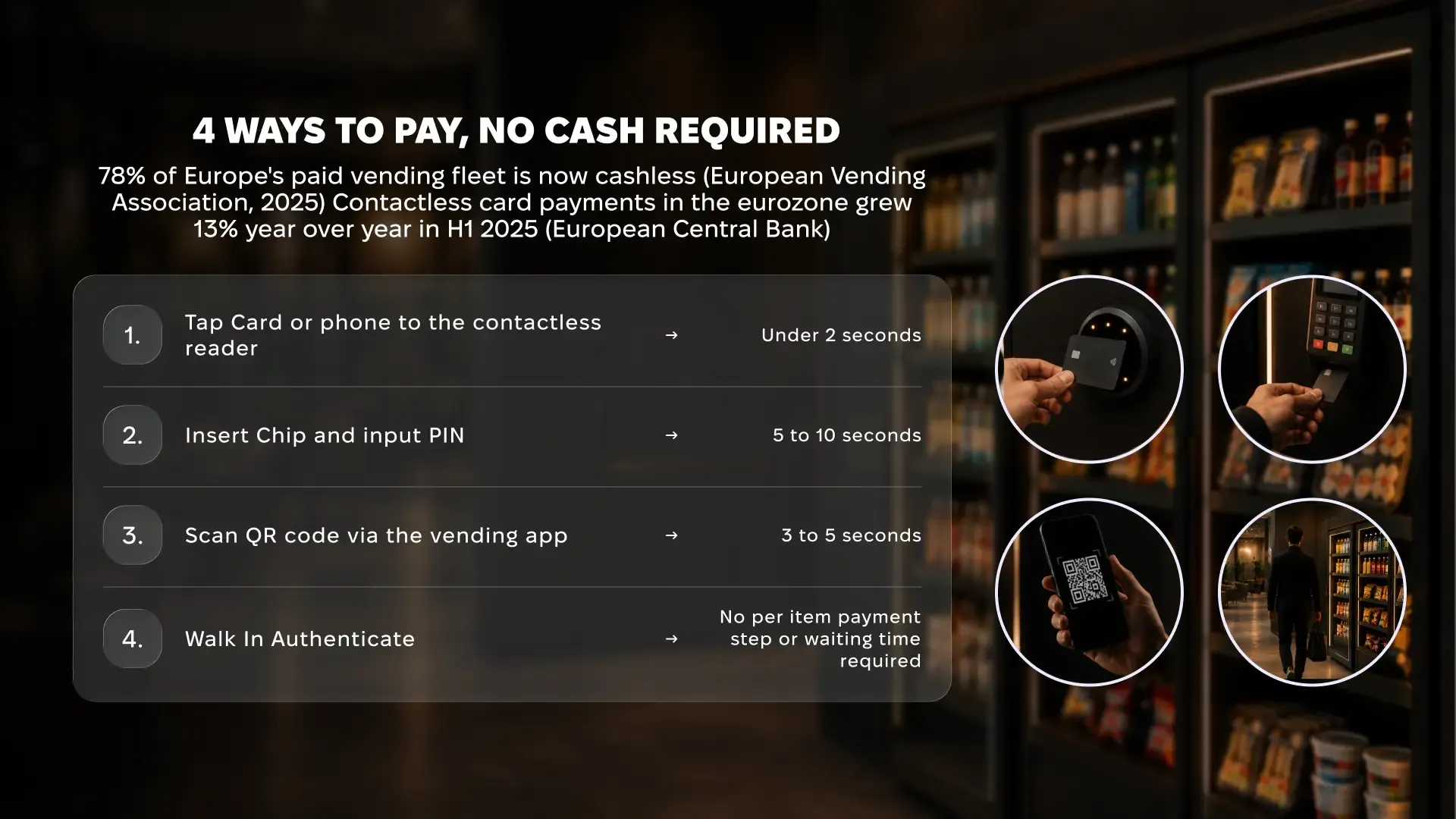
Cashless terminals are no longer a premium feature bolted onto a handful of machines. According to the European Vending Association, cashless payment systems are now fitted to almost 78% of the pay-vend machine base across Europe. The European Central Bank also reports that contactless card payments in the euro area grew nearly 13% year on year through the first half of 2025.
That shift changes what shoppers expect to find at a machine, and what operators need to install to stay competitive.
What’s driving the move away from coins:
- No need to carry exact change or deal with a jammed coin slot
- Faster transactions that shorten queues at offices, gyms, and transit hubs
- Higher average spend per purchase compared with cash transactions
- Automatic digital receipts that make expense tracking simple
How to Pay With a Card at a Standard Vending Machine
Most coin-and-button vending machines now use the same card reader logic, whether the cabinet sells snacks, drinks, or office supplies.
Step by Step
- Browse the display and note the product code or button number for your item.
- Tap your card on the contactless reader, or insert it for chip and PIN.
- Wait for the screen to confirm approval, usually shown with a green light or short beep.
- Press the matching button or enter the product code to release your selection.
- Collect your item from the dispensing tray before you walk away.
Card Payment Methods Compared
| Method | How It Works | Typical Speed | Best For |
|---|---|---|---|
| Contactless tap | Hold the card near the reader’s NFC sensor | Under 2 seconds | Everyday small purchases |
| Chip and PIN | Insert the card and enter a PIN on the keypad | 5 to 10 seconds | Purchases above the contactless limit |
| Mobile wallet | Hold a phone or watch near the reader | Under 2 seconds | Card-free convenience |
| QR app scan | Scan a code through a vending app | 3 to 5 seconds | AI micromarkets and grab-and-go cabinets |
How Card Payment Works on AI Vending Machines and Micromarkets
Open-shelf machines, often called AI micromarkets, handle card payment differently from a standard coin-and-button cabinet. Instead of paying per item, the shopper authenticates once at the door.
The typical flow looks like this:
- Tap a card on the POS terminal, or scan a QR code through the operator’s app
- The door opens once authentication succeeds, and the shopper takes whatever they want from open shelves
- Computer vision tracks every item, multi-grab, and put-back during the session
- The system matches what left the shelf to a product list and charges the card once the door closes
- A receipt lands in the app within seconds, with no separate checkout step
This model removes the need to scan a barcode on every item, which speeds up checkout and supports larger basket sizes than a traditional vending machine.

Payment Security and Compliance Behind the Scenes
Card payment on a vending machine runs through the same regulatory layers that apply to any retail terminal. PSD2 requires strong customer authentication on larger transactions, which is why some machines ask for a PIN above a set contactless limit. Card data is encrypted in transit, and GDPR governs any payment or behavioural data the machine logs.
Food vending machines carry an extra layer. EU rules require operators to display their name, contact details, and prices on the machine itself, and food-selling cabinets must keep documented hygiene and traceability records. For a full country-by-country breakdown, see the Neuroshop guide to vending machine licensing in Europe.
Operating food vending machines across Europe?
Neuroshop's AI vending machines produce the compliance records inspectors require.
What to Do If Your Card Payment Is Declined
A declined card usually has a quick fix and rarely means the machine is broken.
Common reasons a payment fails:
- The contactless limit was exceeded, which requires inserting the card and entering a PIN
- The bank flagged a small, unfamiliar merchant as a fraud risk
- The machine lost its network connection to the payment gateway
- Insufficient funds or a card that has expired
If a tap fails, try inserting the card for chip and PIN instead, or switch to a mobile wallet if the machine supports one. A second decline on the same card usually points to your bank, not the machine, so a quick call to your card provider resolves most cases.
Choosing a Vending Machine That Gets Cashless Payment Right
Operators evaluating new hardware should treat payment flexibility as a baseline requirement, not an optional upgrade. A machine that only accepts contactless cards will turn away shoppers who prefer a mobile wallet or an app-based account.
What to look for before buying:
- Support for contactless, chip and PIN, and mobile wallets in one terminal
- Built-in telemetry that logs transaction data alongside stock and temperature
- Remote monitoring so a failed card reader gets flagged before it costs a week of sales
Neuroshop’s fridge vending machines ship with cashless payment and remote monitoring built in, and the same telemetry platform that tracks stock levels also surfaces payment performance across an entire machine network.
Operating food vending machines across Europe?
Neuroshop's AI vending machines produce the compliance records inspectors require.
Final Thoughts
Paying by card at a vending machine has gone from a rare feature to the default expectation, and the mechanics behind it have grown more sophisticated alongside it. Shoppers get a faster, contactless experience, and operators get cleaner transaction data and fewer cash-handling headaches. Machines that combine flexible payment options with built-in monitoring, like Neuroshop’s AI vending machines and micromarkets, are best placed to keep up with that shift.
Frequently Asked Questions
What happens if my card payment fails on a vending machine?
The machine cancels the transaction and returns to the start screen without charging your card. Try tapping again, switch to chip and PIN, or use a mobile wallet. Persistent failures usually point to your bank, not a fault with the machine.
Can I use Apple Pay or Google Pay on a vending machine?
Most modern cashless readers, including those on Neuroshop’s AI micromarkets, support Apple Pay and Google Pay alongside standard contactless cards. Hold your phone or watch near the reader the same way you would a card, and the transaction completes in seconds.
Is it safe to pay by card on a vending machine?
Yes. Card readers on compliant machines encrypt payment data in transit and follow the same PSD2 authentication rules as any retail terminal. Avoid machines with visibly damaged or loose card readers, since tampering is the main real-world risk.
Why do some vending machines require a PIN above a certain amount?
This follows PSD2’s strong customer authentication rules, which limit how much can be spent through a contactless tap before a PIN is required. The exact threshold varies by country and bank, typically between €25 and €50 per transaction.
How do AI vending machines charge my card if I don’t scan each item?
Neural vision cameras track what a shopper takes from open shelves during a session. The system matches those items to a product list and charges the card on file automatically once the door closes, with no per-item scanning required.

