Standing at a vending machine with no coins used to mean walking away empty-handed. A phone is now enough. Apple Pay works at any vending machine fitted with an active NFC contactless reader, which covers most new hardware sold in Europe. The tap clears in about two seconds, usually without a PIN.
This guide covers the exact steps for iPhone and Apple Watch, the two payment sequences you will meet at different machines, what to do when a tap gets declined, and what operators need to install to accept mobile wallets on their fleet.
Can You Use Apple Pay on a Vending Machine?
Yes, provided the machine carries a working NFC reader and the terminal accepts your card network. Look for the contactless symbol or the Apple Pay mark on the payment module, usually mounted beside the keypad or screen.
Three conditions have to line up before the tap goes through:
- The machine has an NFC contactless reader. A card slot alone means chip and PIN only, so a phone will not work there.
- The reader is active and online. Some older cabinets carry the symbol on a module that was never commissioned.
- The terminal supports your card network. Visa and Mastercard are near universal in Europe, while Amex and Maestro coverage varies by operator.
Contactless acceptance is close to standard across the region. The European Central Bank reports that 93% of euro area POS terminals accepted contactless transactions by mid-2025, with 29.6 billion contactless card payments recorded in the first half of the year alone. Vending hardware follows the same curve, and unattended retail is one of the fastest categories to go fully cashless.
How to Use Apple Pay on a Vending Machine
The mechanics match any other contactless terminal, with one difference worth knowing about. Vending machines run one of two payment sequences, and tapping in the wrong order is the most common reason a purchase stalls.
Paying with an iPhone
- Wake the machine screen or card reader so the terminal is listening for a tap.
- Double-click the side button on Face ID models, or the Home button on Touch ID models.
- Authenticate with Face ID, Touch ID, or your passcode when prompted.
- Hold the top edge of the iPhone within a few centimetres of the reader.
- Wait for Done and a checkmark on the screen, plus a beep or green light from the machine.
Apple documents the same flow in its official Apple Pay instructions for in-store purchases. Position matters more than people expect. The NFC antenna sits at the top of the phone, so resting the middle of the screen against the reader often fails.
Paying with an Apple Watch
- Double-click the side button to open your default card.
- Scroll to a different card if you need one.
- Hold the watch display close to the contactless reader.
- Wait for the gentle tap and the confirmation beep.
The watch skips biometric checks because it verifies you at unlock, which makes it the quicker of the two options.
Select-First and Tap-First Machines
Not every cabinet handles the order the same way. Snack and drink machines with a keypad usually ask you to choose a product code first, then tap to pay. Smart fridges and AI micromarkets normally work the other way around. You authorise the payment, the door unlocks, and the system charges you for whatever you take out.
If nothing happens after your tap, check the screen prompt before trying again. A second tap on a machine that is waiting for a product code will simply time out.
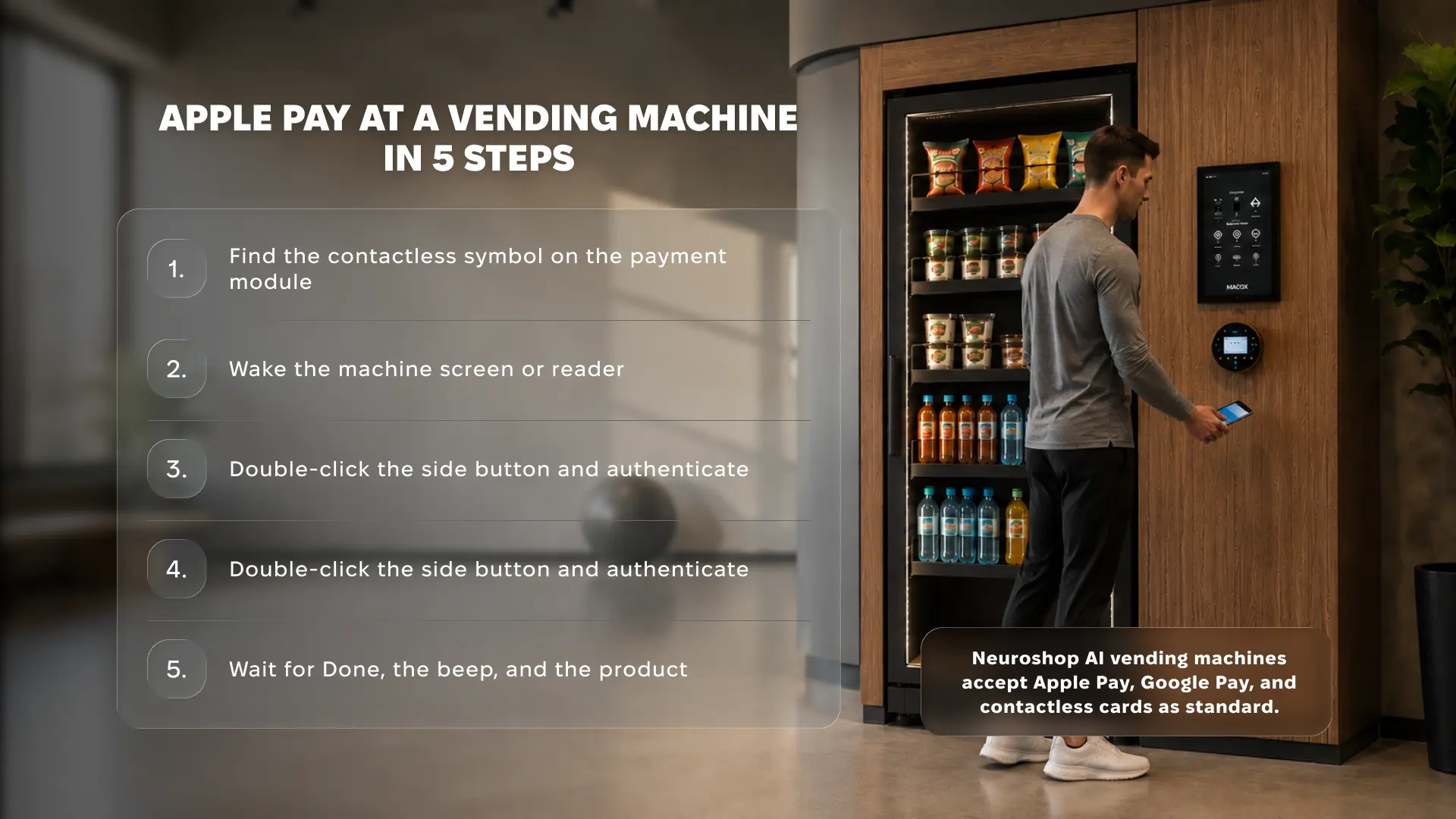
How Apple Pay Works at a Neuroshop AI Micromarket
Neuroshop micromarkets use the tap-first sequence, because there is no keypad and no product code to enter. Cameras and weight sensors track what comes off the shelf, so the cabinet charges you after you close the door.
The customer flow takes four steps:
- Authenticate on your iPhone or Apple Watch and hold it against the reader on the cabinet.
- Wait for the door release, which follows the authorisation within a second or two.
- Take what you want, including several items in one visit, and put back anything you change your mind about.
- Close the door and receive a digital receipt for the exact items you removed.
Every Neuroshop cabinet ships with a contactless module that accepts Apple Pay, Google Pay, and standard bank cards. Computer vision handles the basket, so a single tap can cover a drink, a sandwich, and a snack together.
Why Apple Pay Fails at Some Vending Machines
Most failures come down to hardware or card rules rather than the phone itself. This table covers what operators and shoppers run into most often.
| What happens | Likely cause | What to do |
|---|---|---|
| Nothing registers on the tap | Reader is offline or not commissioned | Try the card slot, or report the machine to the operator |
| Payment approved, product not dispensed | Vend failure after authorisation | Wait at the machine and contact operator support with the time and machine ID |
| Card declined above a certain amount | Terminal software predates CDCVM support | Use a lower-value purchase or a physical card |
| Phone shows Done, machine shows error | Connectivity drop between reader and processor | Check your banking app before paying twice |
| Reader ignores the watch | Antenna alignment | Hold the display flat against the reader face |
One point catches people out regularly. The confirmation on your phone means the payment was authorised, not that the machine completed the vend. Always wait for the product or the door release before walking off.
Planning to roll out cashless vending machines across multiple European sites?
Neuroshop hardware ships with NFC readers that accept Apple Pay from day one.
What Operators Need to Accept Apple Pay
Adding mobile wallet support is a hardware and processing decision, not a software toggle. Operators running older coil machines usually retrofit, while newer cabinets arrive ready.
The setup involves four parts:
- An NFC and EMV certified reader. The module has to be contactless capable and certified for unattended retail, which has stricter rules than staffed checkouts.
- A payment service provider agreement. Your PSP handles authorisation, settlement, and chargebacks, and sets the processing fee per transaction.
- A connectivity path. Readers need SIM or Wi-Fi connectivity to authorise online, so dead zones inside basements or warehouses need planning.
- Terminal software with CDCVM support. Consumer Device Cardholder Verification lets biometric-authenticated payments clear above the standard contactless ceiling.
Neuroshop supplies this stack as standard. The fridge vending machines and AI micromarket range both ship with contactless readers that accept Apple Pay, Google Pay, and standard bank cards. For a broader look at how card acceptance works across machine types, see our guide to card payments on vending machines.
What Mobile Wallets Change for Operators
Payment method affects revenue, not only convenience. Cashless transactions carry a higher average basket value across the industry, and mobile wallets sit at the top of that group because the checkout friction is close to zero.
Three operational effects are worth tracking:
- Fewer walk-aways. Shoppers without coins convert instead of leaving, which matters most in offices and transit sites.
- No cash collection. Removing coin routes cuts labour cost per visit and eliminates cash-in-transit risk.
- Cleaner data. Every tap is logged by SKU, time, and payment type, which feeds directly into restocking and pricing decisions.
That last point is where payment data becomes useful beyond accounting. Neuroshop’s telemetry platform surfaces payment method breakdown per location alongside stock levels, so you can see which sites have already gone fully cashless. If you are weighing up formats, our explainer on how AI vending machines work covers the checkout flow in detail.
Final Take
Using Apple Pay at a vending machine takes one authentication and one tap, provided the cabinet has a live NFC reader. For shoppers, the only real variables are device positioning and whether the machine expects a product selection before or after payment. For operators, mobile wallet acceptance has moved from a differentiator to a baseline expectation across European sites. Machines that still ask for coins are quietly turning customers away every day.
Are your machines still turning away shoppers who only carry a phone?
Neuroshop machines log every tap and report payment performance across your whole network.
FAQ
Can you use Apple Pay on any vending machine? No. Apple Pay only works on machines with an active NFC contactless reader that accepts your card network. Older coin-and-button cabinets without a contactless module will not respond to a phone tap.
Why did my Apple Pay payment fail at a vending machine? The most common causes are an offline reader, a machine waiting for a product code before payment, or poor device positioning. Hold the top edge of the iPhone directly against the reader and check the screen prompt.
Is there a limit on Apple Pay vending machine purchases? Apple sets no wallet-level cap. Terminals with CDCVM support treat biometric authentication as verification, so payments can clear above the standard contactless limit. Your card issuer still applies its own daily and per-transaction rules.
Do I need an internet connection to use Apple Pay at a vending machine? No. Your card details are stored on the device, so the phone works offline. The vending machine itself needs connectivity to authorise the transaction with the payment processor.
How do operators add Apple Pay to existing vending machines? Retrofit an NFC and EMV certified reader, sign an agreement with a payment service provider, and confirm the machine has stable SIM or Wi-Fi connectivity. Neuroshop machines arrive with contactless payment configured.
Infographic copy
Title: Apple Pay at a Vending Machine in 5 Steps
- Find the contactless symbol on the payment module
- Wake the machine screen or reader
- Double-click the side button and authenticate
- Hold the top of your iPhone against the reader
- Wait for Done, the beep, and the product
Footer line: Neuroshop AI vending machines accept Apple Pay, Google Pay, and contactless cards as standard.

